Poe has a variety of ai image generator tools that all operate identically: type text in, get image out.
So what is the best ai image generator available today on Poe Ai?
Testing 29 Ai Image Generators
To find the best Ai image generator, I ran the same 9 text prompts through all 29 ai image generators available on Poe.
See the full gallery of 229 ai image generations here, and you can determine for yourself ‘what is the best ai image generator on Poe’.
Below are four ai image example sets from our image-comparison-test data, plus their original prompt, for reference.
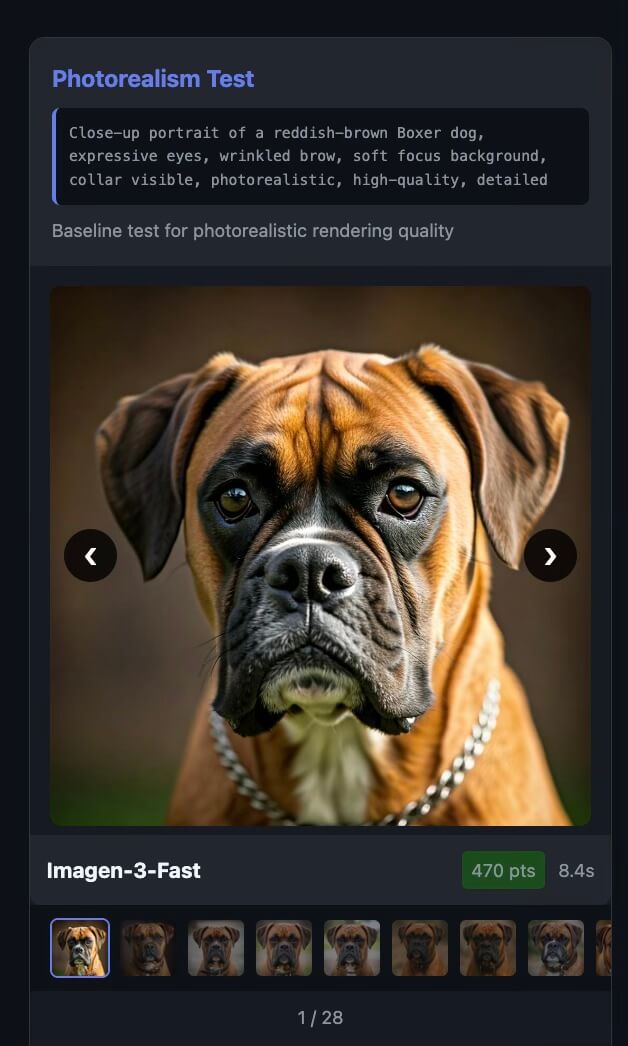
Photorealism Test: The Boxer Dog
The first ai image generator test was a prompt for a picture of a dog:
“Close-up portrait of a reddish-brown Boxer dog, expressive eyes, wrinkled brow, soft focus background, collar visible, photorealistic, high-quality, detailed”.
This baseline prompt helps compare how each ai image generator handles fine details, such as fur texture, expressive eyes, and natural lighting, etc.
Recraft V3 produced what I consider the most realistic result of the bunch, and it looks like a pet photograph taken by a person.
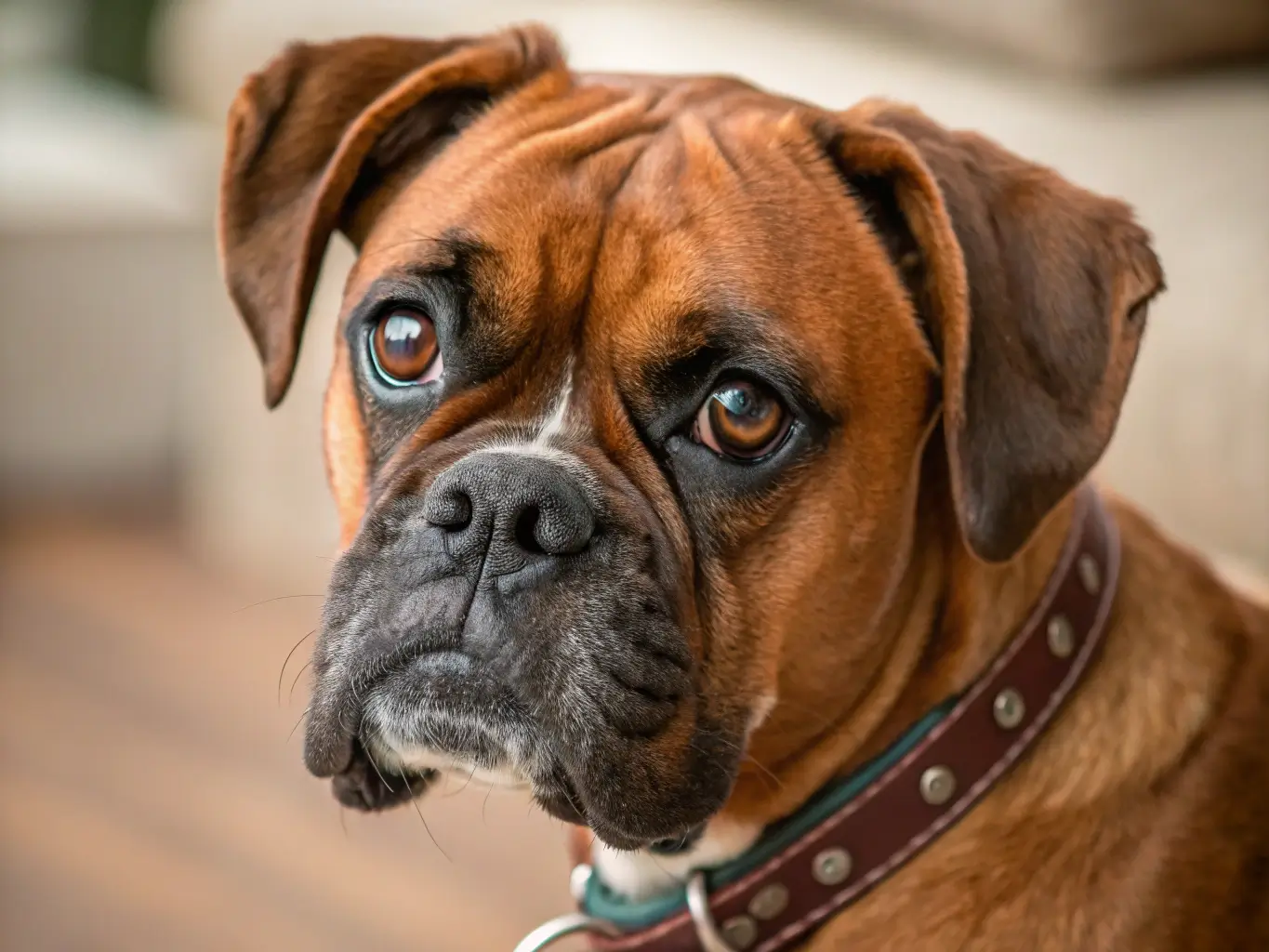
Everything about the Recraft image follows our prompt well, and it’s not perfectly centered so that feels authentically imperfect.
The Google Imagen family (Imagen-3, Imagen-4) produced clean results, but they lean toward synthetic perfection.
They’re excellent images, just a bit too polished to fool anyone into thinking they’re real photographs.
FLUX-schnell impressed me the most for value, because it costs just 40 Compute Points and only takes about 2-3 seconds of generation time, and the end result is an image that communicates concepts quickly and effectively.
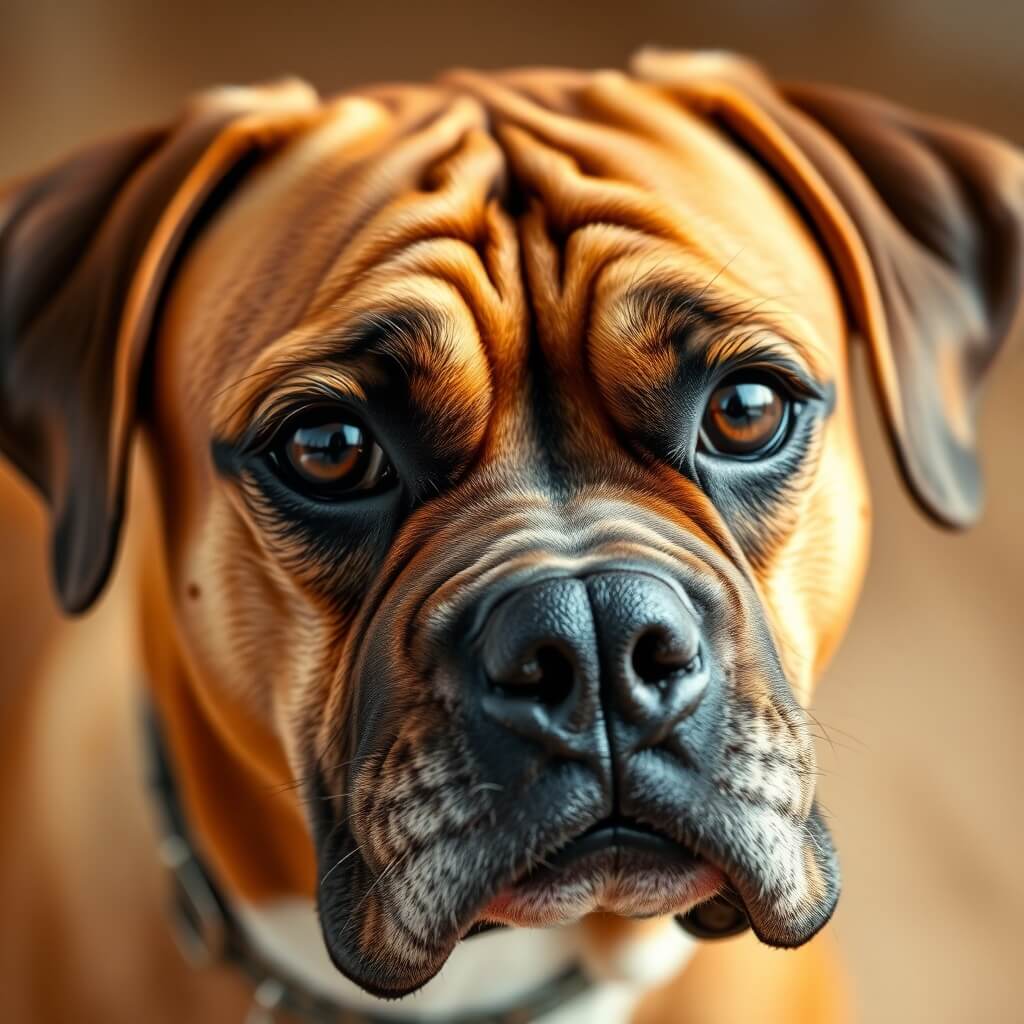
If you’re building a bot that generates images for others, FLUX-schnell keeps your costs low while maintaining quality.
Stable Diffusion XL, despite being one of the cheapest options at 120 points, struggled with this test. The dog looked distorted and definitely didn’t justify spending 3 times what FLUX-schnell costs.
Spatial Reasoning: Objects in a Vase
The second test asked each ai image generator model to render a set of objects in a specific set of positions:
“a clear vase, with a green ball in the bottom, a red cone in the middle, and a blue cube on top near the mouth of the vase.”
This challenges the Ai image generator and forces it to demonstrate that it can understand spatial relationships and transparency.
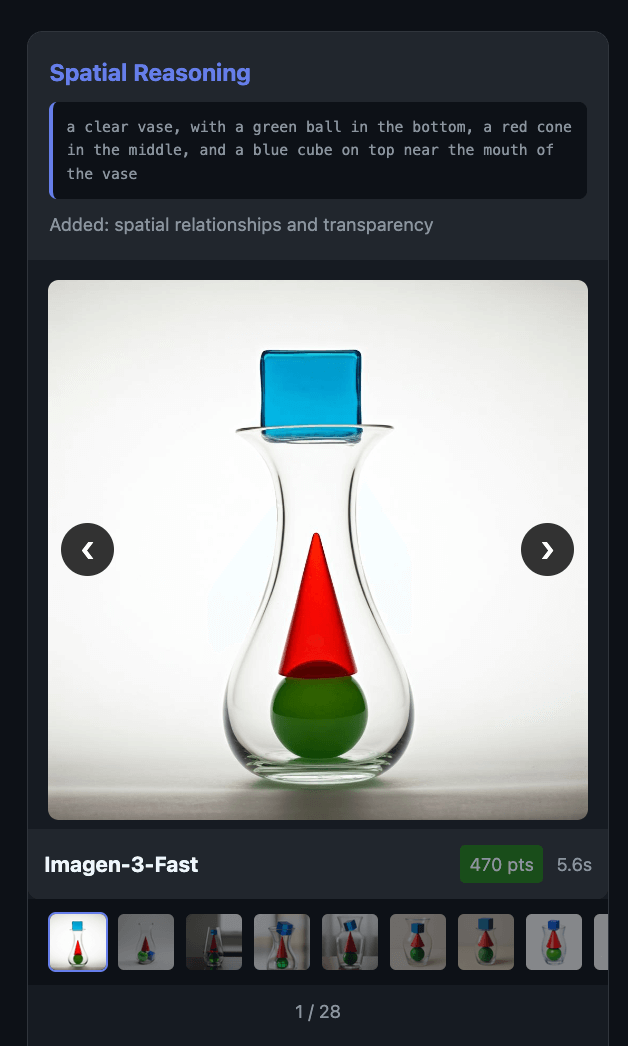
FLUX-dev got the spatial accuracy right, which meant that all the shapes are in the correct order and position. and it cost for just 567 Compute Points.
Relative to compute-points value, Flux-Dev has impressive spatial reasoning abilities.
GPT-Image-1.5 delivered the most vibrant result of the groups, and it’s image had excellent saturation and a perfectly-clean, white background.
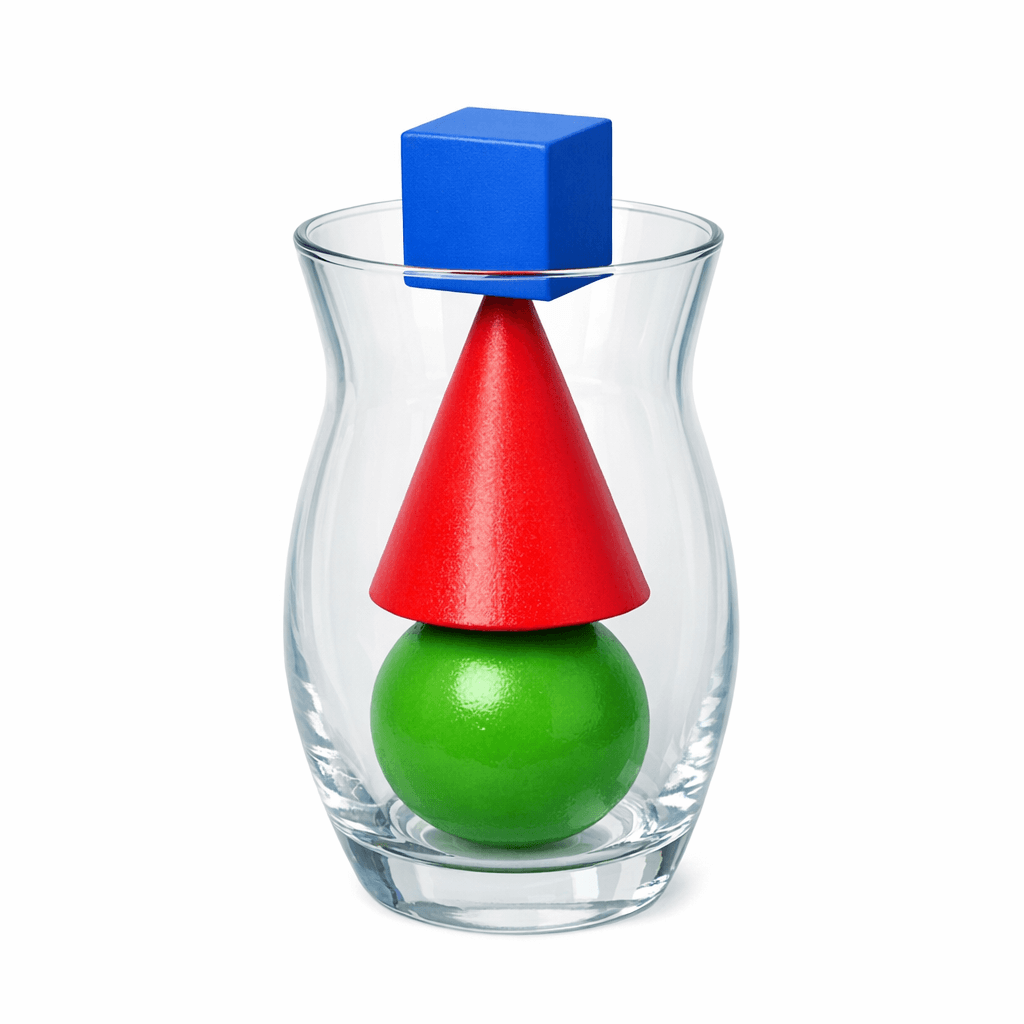
The shapes interact correctly, though the cube does intersect slightly with the cone in a way that’s not quite realistic.
Several models failed outright. FLUX-schnell added two cones instead of one.
Stable Diffusion XL created something resembling abstract art rather than following the prompt.
FLUX Pro 1.1 Ultra made the cone look like a New Year’s Eve noisemaker and the cube like a sugar cube.
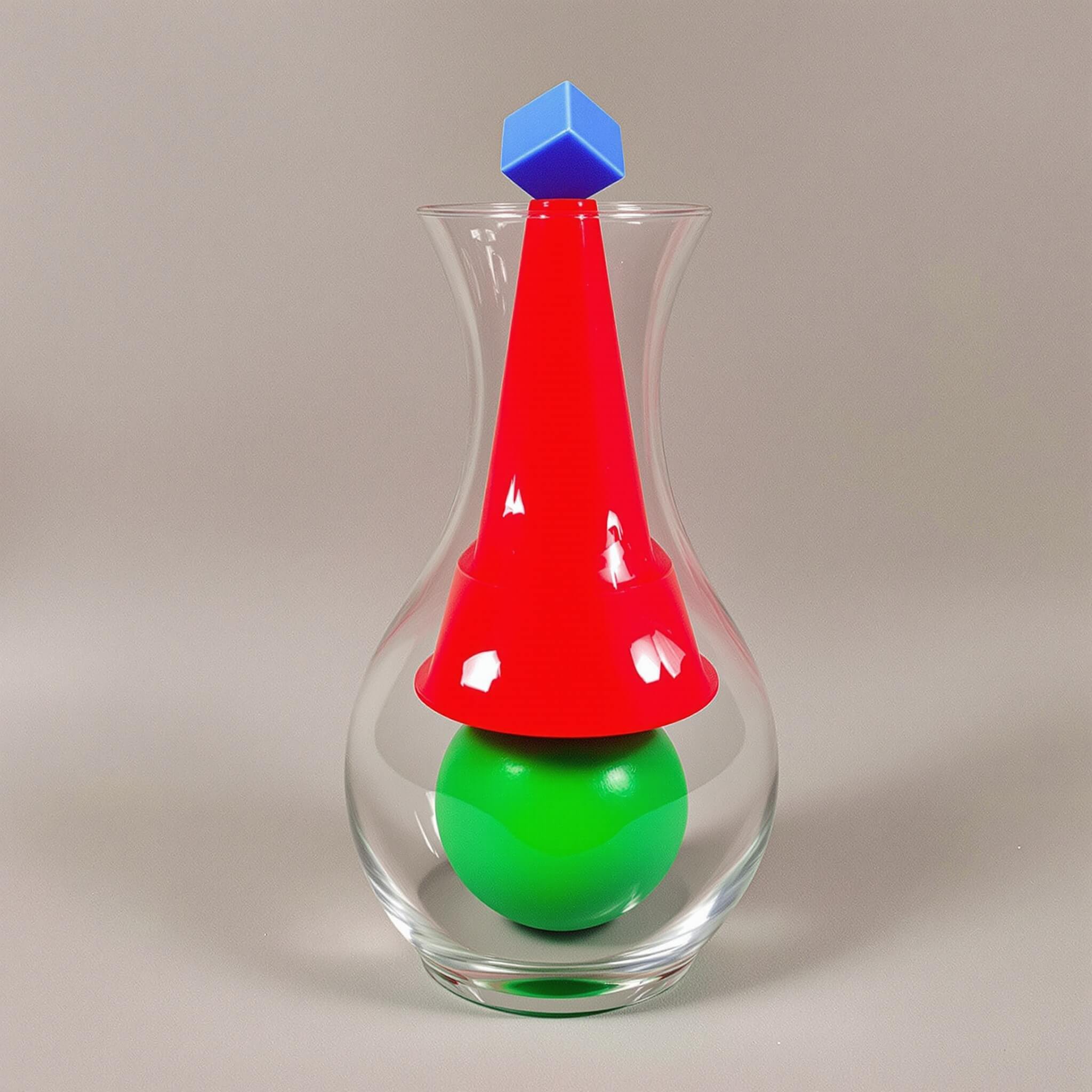
Many models, including Google’s Nano-Banana and Nano-Banana-Pro, added water to the vase even though water was not in our prompt.
Historical Accuracy: 1980s Los Angeles
To test how well the ai image generators can handle historical scenes, I asked for:
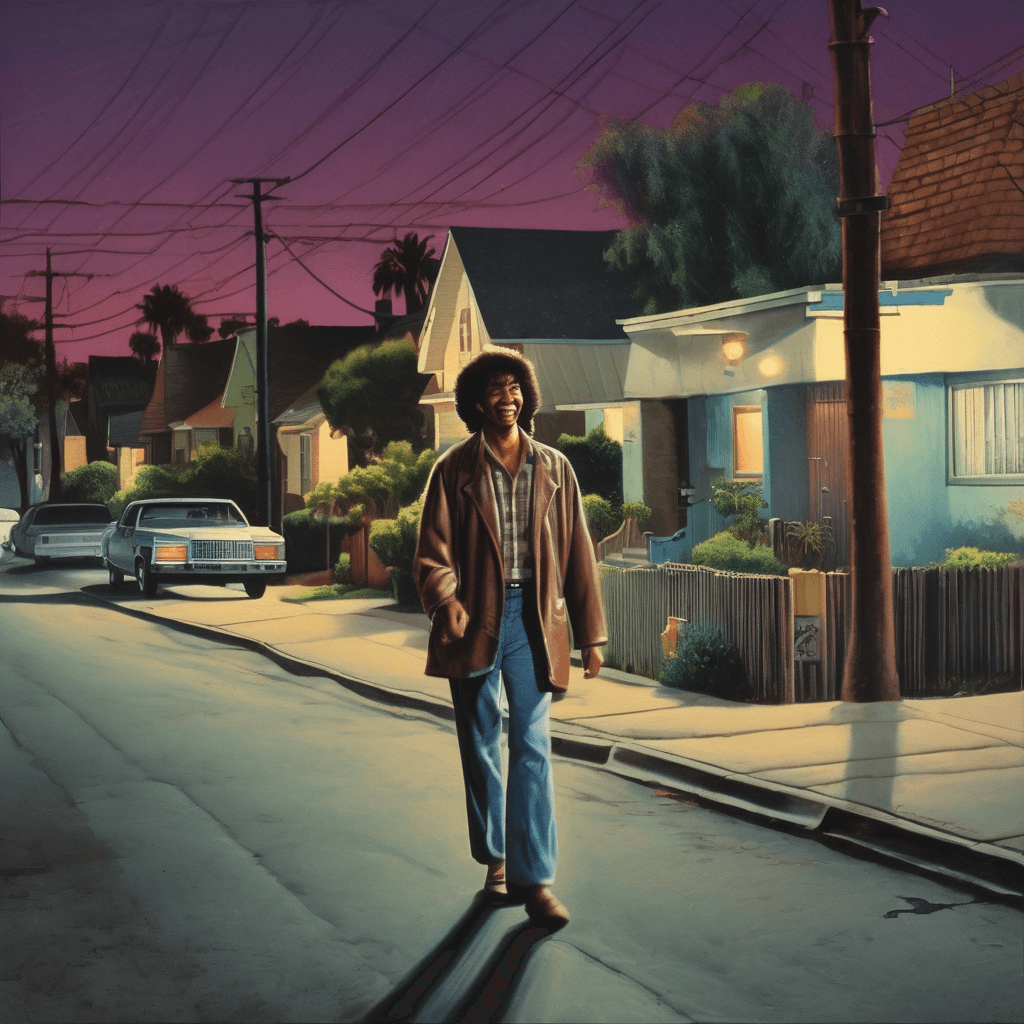
“a happy person walking down the street, Los Angeles neighborhood, night time scene, 1980’s time period.”
The goal of this prompt is to test each model’s understanding of historical aesthetics, period-appropriate clothing, and authentic lighting.
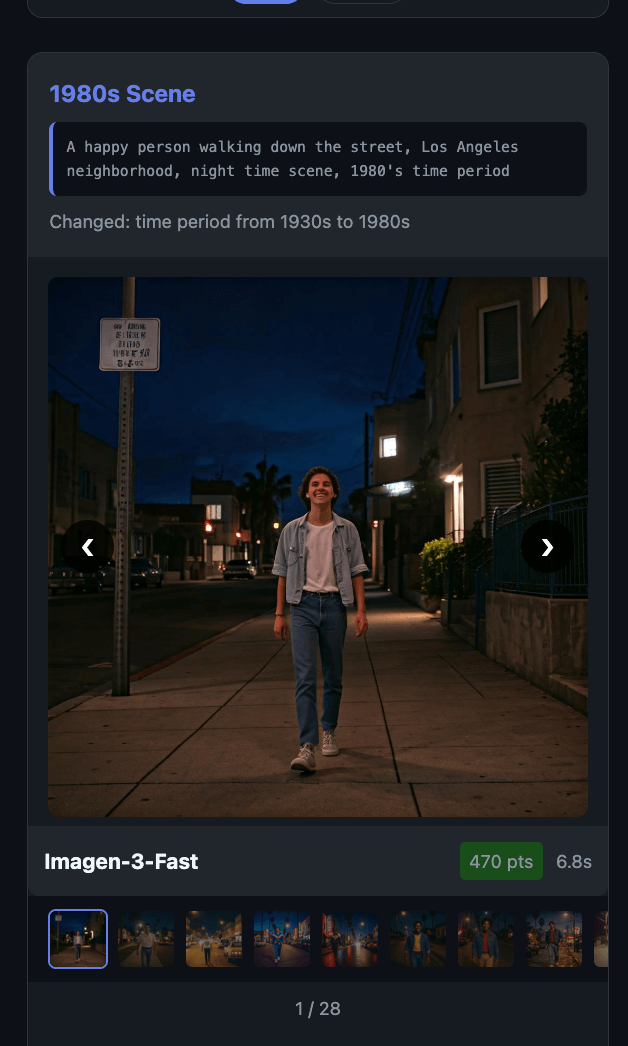
FLUX 2 Pro nailed the period lighting, including the orange cast from sodium vapor street lamps that were common in Los Angeles during that era.
The subject has multiple shadows originating from different light sources, which is exactly how real nighttime photography works.
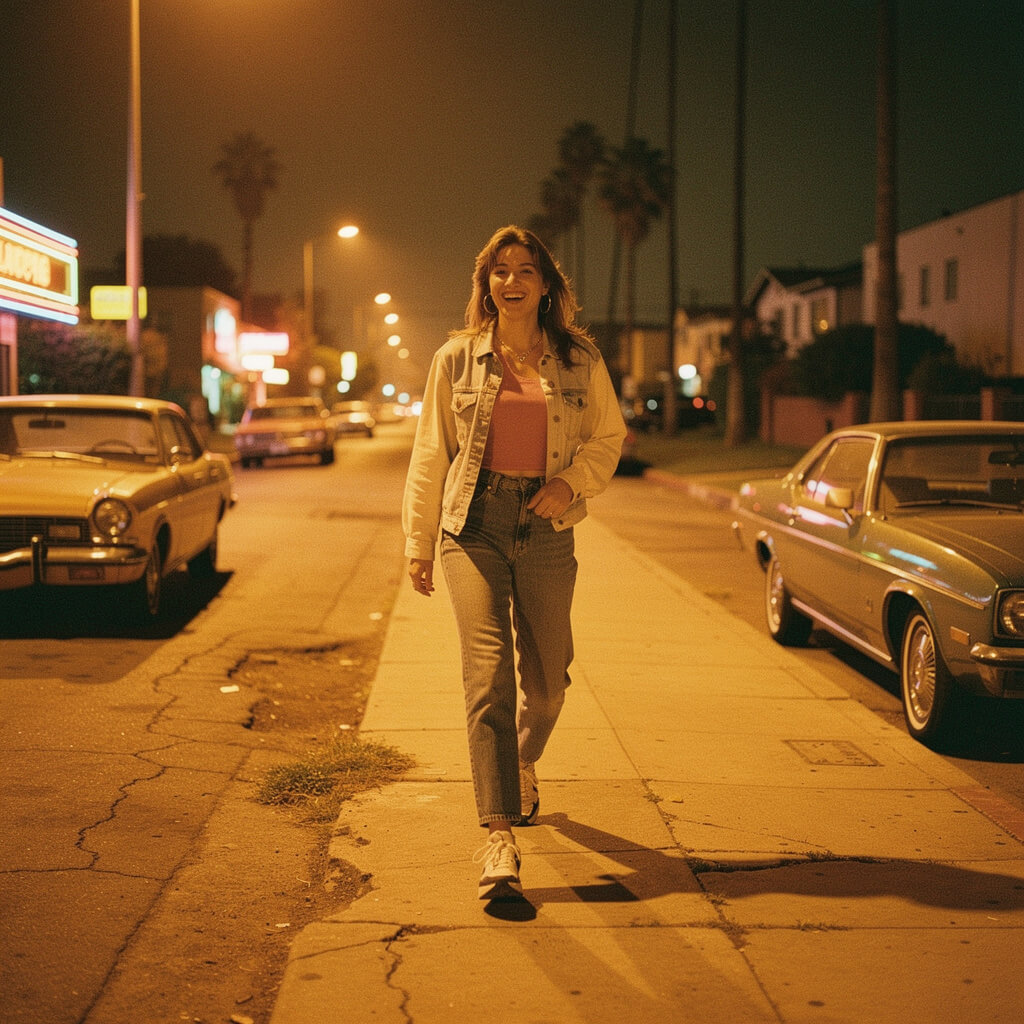
GPT-Image-1.5 added that distinctive 1980s aesthetic with visible film grain and color grading that feels authentically vintage.
Note that images from 1980 shouldn’t look ‘digitally’ perfect, because real photographs from that era had film grain, so if you see a “1980s photo” without any film grain, be suspicious of it’s veracity.
Nano-Banana-Pro actively ADDED 1980’s-era artifacts to our photo, such as the boombox that the subject is holding, which was not something in our text prompt.
Notice also that the license plate on the front car is causing a realistic, retro-reflective flash effect, too.
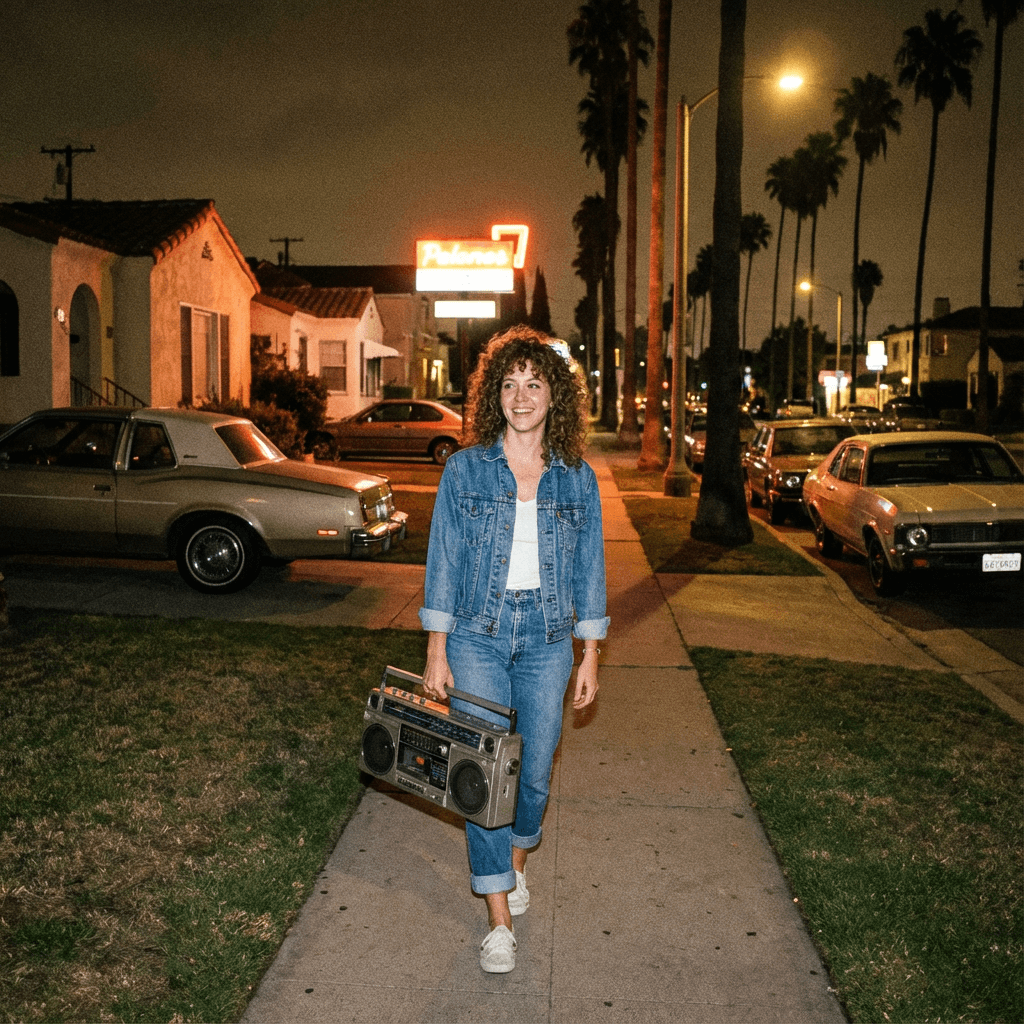
The Nano-Banana-Pro model costs 5,100 compute points, but it clearly understands how to make images feel realistic.
On the other end, Stable Diffusion XL produced illustrated, almost cartoonish results that didn’t match the photorealistic request at all.
Text Rendering: The Denny’s Test
The final major test added text to the scene: a person walking past a “Denny’s” restaurant.
“a happy person walking down the street, past a “Denny’s” restaurant, Los Angeles neighborhood, night time scene, 1980’s time period”
Text rendering in AI images has historically been a challenge, and this test is designed to reveal which ai image generator models are best for adding text to images.

Why Text Matters: If you need signage, logos, or any readable text in your Ai-generated images, your model choice matters significantly because many ai image generators still struggle with spelling.
FLUX Pro 1.1 Ultra got “Denny’s” spelled correctly twice in the same image and made it look like a Polaroid photo.
Qwen-Image-20B spelled “Denny’s” perfectly but failed on “Los Angeles” in the background.

Ideogram models, despite being known for text rendering, still had issues with surrounding text even when getting the main word right.
FLUX-schnell managed to spell “Denny’s” correctly for just 40 compute points, which is remarkable value.
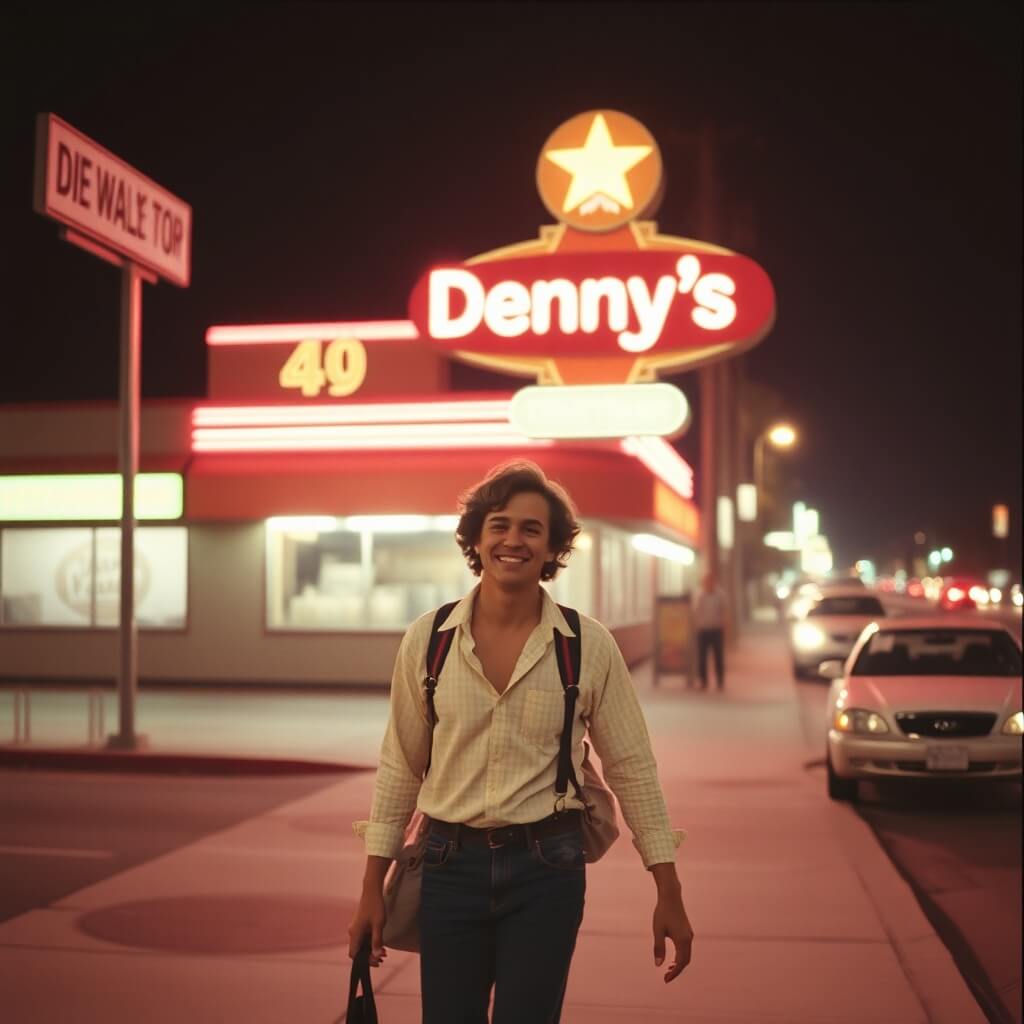
Recraft V3, which excelled at photorealism, couldn’t spell “Denny’s” at all.
This shows that different models have different strengths, and the best AI image generator depends entirely on your specific needs.
Ai Image Generator Costs
When choosing an AI image generator, cost matters, and here’s how the major ai image generator models compare to each other:
| Model | Cost | Speed | Best For |
|---|---|---|---|
| FLUX-schnell Black Forest Labs |
40 | ~2s | ⭐ Best speed for quick drafts |
| StableDiffusionXL Stability AI |
120 | ~4s | Budget option (variable quality) |
| Luma-Photon-Flash Luma |
167 | ~4s | Fast generation, good value |
| Imagen-3-Fast / 4-Fast |
470 | ~6s | Photorealism on a budget |
| FLUX-dev Black Forest Labs |
567 | ~4s | ⭐ Great spatial reasoning |
| Qwen-Image-20B Alibaba |
617 | ~7s | Good text rendering, balanced |
| Ideogram-v2a-Turbo Ideogram AI |
800 | ~10s | Fast text rendering |
| Imagen-3 / Imagen-4 |
930 | ~9s | Clean, polished photorealism |
| FLUX-2-Pro Black Forest Labs |
1,050 | ~12s | ⭐ Best historical accuracy |
| Nano-Banana Google Gemini |
1,050 | ~7s | Conversational image editing |
| Imagen-4-Ultra |
1,400 | ~12s | Prompt-accurate images |
| FLUX-pro-1.1-ultra Black Forest Labs |
2,000 | ~16s | ⭐ Best text rendering |
| Ideogram-v3 Ideogram AI |
2,000 | ~12s | Accurate text in images |
| Recraft-V3 Recraft |
2,267 | ~17s | ⭐ Best photorealism |
| GPT-Image-1.5 OpenAI |
3,994 | ~40s | ⭐ Best vibrant/stylized |
| GPT-Image-1 OpenAI |
4,993 | ~46s | Great all around, but expensive |
| Nano-Banana-Pro Google Gemini |
5,100 | ~17s | ⭐ Maximum detail & realism |
Cost Key:
Low (40-470)
Mid (500-1,400)
High (1,800+)
— All costs in Poe Compute Points
Compute Points costs for these images in our text ranged from 40 points (FLUX-schnell) to over 5,000 points (Nano-Banana-Pro, GPT-Image-1).
That’s a 125x difference in compute-point cost, from the lowest cost to the highest cost.
The average cost per image across all 252 generations was about 1,476 compute points.
What Is The Best AI Image Generator?
It depends on what you need:
- Best overall photorealism: Recraft V3 or Nano-Banana-Pro
- Best value: FLUX-schnell (40 points!) or Imagen-4-Fast (470 points)
- Best for text in images: FLUX Pro 1.1 Ultra or Ideogram-v3
- Best historical accuracy: FLUX 2 Pro or Nano-Banana-Pro
- Best for speed: FLUX-schnell (2-3 seconds)
- Best vibrant/stylized: GPT-Image-1.5
There’s no single “best” answer because the best AI image generator is the one that matches your specific use case.
For quick concept visualization, FLUX-schnell at 40 points is unbeatable.
For maximum authenticity where budget isn’t a concern, Nano-Banana-Pro delivers great details.
Explore the Full 252-Image Comparison Gallery
Final Thoughts
Testing 29 AI image generators across 252 images revealed something important: there isn’t ‘one, single ai image model’ that does everything best.
The best ai image generator is the one you have access to, and with Poe.com, you have access to at least 29 different ai image generators, so have fun trying them all out for yourself.
Click here to visit the full ai-image generator comparison gallery so that you can see exactly how each model interprets the same prompts.
Here’s a link to the poe.com conversation I had with ‘Script Bot Creator’ where we built the image-comparison website together: https://poe.com/s/HzHALh5frguUVrBjkQtj
Finally, here’s a link to where you can try out the ai-image model comparison tool using your own prompts: https://poe.com/Ai-Image-Compare-er
This comparison used 372,015 total compute points (~$11 USD) to generate 252 images across 29 models. Images generated using Poe. Gallery and article created with assistance from Script Bot Creator. View the complete interactive gallery →